Auto setup
The guided setup profiles RAM, CPU cores, GPU availability, and backend preference before downloading a compatible llama.cpp or Hugging Face model path. Progress is resumable after app restarts.
Setup guide - v0.3.7
NativeLab can run with local GGUF models, Hugging Face Transformers, Ollama, or API providers. The app keeps setup inside the same model registry, downloader, and runtime controls used after first launch.
Install
The package keeps the default download focused on the desktop app. CLI and Labs extras are available when you need them, without forcing heavyweight transformer dependencies into the default install.
pip install nativelab
nativelab
pip install "nativelab[cli]"
pip install "nativelab[labs]"
First run
The guided setup profiles RAM, CPU cores, GPU availability, and backend preference before downloading a compatible llama.cpp or Hugging Face model path. Progress is resumable after app restarts.
Use the Download tab to install a matching llama.cpp build, choose a GGUF model, and register it in the shared local model registry.
Register an OpenAI-compatible API, Anthropic profile, custom endpoint, or an existing Ollama model when the runtime already lives outside NativeLab.
Model sources
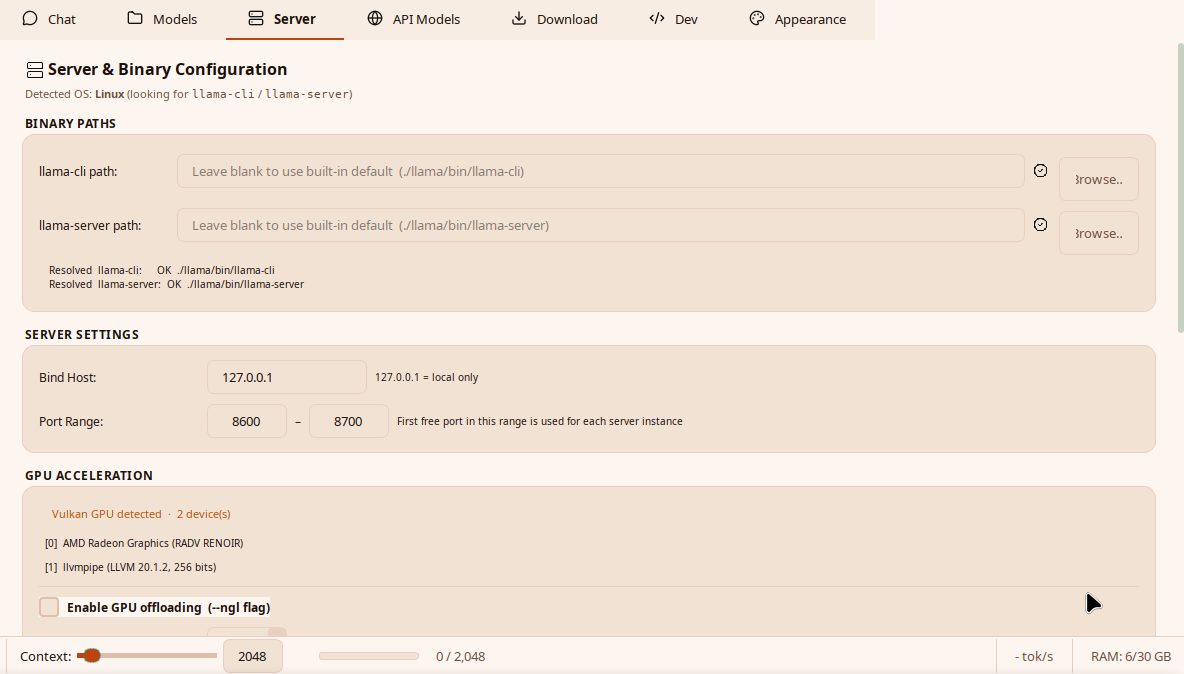
NativeLab downloads or reuses llama.cpp, stores binaries under
llama/bin/, and keeps downloaded models under
localllm/. CUDA, Vulkan, ROCm, Metal, and CPU-only
paths are selected according to detected hardware.
The Hugging Face downloader supports snapshot downloads, resume controls, gated-repo tokens, and an in-app library installer for users who started with only the base NativeLab package.
Existing Ollama daemons and cloud providers are registered as model entries, so chat, Labs, pipelines, and CLI status use the same model selection layer.
Hardware
NativeLab favors a working baseline over oversized defaults. Context limits, GPU layers, and model size can be raised later from the same server controls when more memory is available.
Use a small quantized GGUF model, CPU or partial GPU offload, and conservative context.
Use larger models, more context, full GPU offload, and pipeline-heavy workflows.
Next
Once a model is registered, the same backend can power chat, document work, Labs, CLI commands, visual pipelines, and the AI Pipeline Builder.